
Enterprise architecture tools help organizations understand how business capabilities, applications, technology, processes, and data fit together. But not every architecture tool approaches that challenge from the same direction.
Some platforms focus primarily on application portfolio management and business capabilities. Others emphasize business processes, transformation planning, or formal enterprise architecture frameworks. ER/Studio takes a different approach, specializing in the data architecture that underpins the broader enterprise architecture.
That distinction matters.
If your primary objective is rationalizing hundreds of applications or mapping business capabilities to strategic initiatives, a traditional enterprise architecture platform may be the better fit. If you need to design, standardize, govern, and implement the data structures those applications rely on, you need deeper data architecture capabilities.
This comparison examines eight platforms with different architectural strengths:
Understanding those differences is the first step toward choosing the right tool.
Enterprise architecture is broader than any single technology domain.
At a high level, enterprise architecture helps organizations understand the relationships between areas such as:
Business architecture
Business capabilities, processes, strategy, and organizational structure.
Application architecture
Applications, services, interfaces, dependencies, ownership, and lifecycles.
Data architecture
Business concepts, data models, metadata, database structures, standards, and how data is organized across platforms.
Technology architecture
Infrastructure, platforms, technologies, standards, and their relationships to applications and business requirements.
Traditional enterprise architecture platforms often provide broad visibility across several or all of these domains. They may help architects answer questions such as:
Data architects face a different but complementary set of questions:
This is where the distinction between enterprise architecture and enterprise data architecture becomes important.
Enterprise architecture provides a broad view of how the organization, its applications, technologies, processes, and information support business strategy.
Enterprise data architecture focuses specifically on how data is defined, structured, related, governed, implemented, and shared across that environment.
The two disciplines overlap, but they are not interchangeable.
A general-purpose enterprise architecture platform may tell you that an application supports a particular business capability and depends on a particular database.
A dedicated data architecture platform goes deeper into that database and the information it contains. It can define the logical business concepts, model relationships and attributes, design physical schemas, establish reusable data standards, generate database structures, and connect technical metadata with business meaning.
For organizations where data is a major architectural concern, both perspectives can be valuable.
ER/Studio is not a general-purpose enterprise architecture management platform. It is an enterprise data modeling and data architecture platform designed to help organizations define business data, design database structures, standardize models, manage metadata, and connect data architecture with governance, analytics, and AI initiatives.
That specialization differentiates ER/Studio from many traditional EA platforms.
Where an enterprise architecture platform may model an application and its place within the technology landscape, ER/Studio can model the data itself from business concept through database implementation.
ER/Studio supports conceptual, logical, and physical data modeling, allowing teams to move from a high-level representation of business information to detailed database designs.
An Enterprise Logical Data Model can define concepts such as Customer, Product, Order, Claim, or Policy independently of any particular database platform.
Those logical models can then be transformed into physical models for target technologies.
This creates a connection between:
Business concepts → logical data architecture → physical database design
Instead of starting with individual database schemas and trying to reconcile their meaning later, organizations can establish common definitions and structures at the modeling level.
ER/Studio also goes beyond diagramming.
Teams can reverse engineer existing databases to understand and document current structures. They can transform logical models into physical database designs and generate DDL from those physical models to support implementation.
Compare and Merge capabilities help architects identify differences between models and databases and manage changes as schemas evolve.
This makes ER/Studio particularly useful when the goal is not simply to document architecture but to connect architectural design with actual database development.
Enterprise data architecture increasingly needs to capture more than database structure.
Logical models contain business concepts, definitions, attributes, relationships, and rules that describe how an organization understands its data. This makes the Enterprise Logical Data Model an important semantic foundation.
ER/Studio can connect this model-driven context with business glossaries, enterprise data dictionaries, taxonomies, ontologies, governance metadata, and downstream semantic technologies.
Rather than recreating business meaning separately in every analytics or AI platform, organizations can establish a governed semantic backbone and extend that meaning into the technologies that consume the data.
ER/Studio also supports the governance of data architecture.
Enterprise Data Dictionaries help teams establish reusable standards across models. Business glossaries provide shared terminology and definitions. Team Server Core gives technical and business users web-based access to published models and metadata.
ER/Studio can also connect model-driven context with broader governance environments such as Microsoft Purview and Collibra.
This does not make ER/Studio a replacement for every enterprise governance or catalog platform. Instead, it allows the data architecture itself to participate in the organization’s broader governance strategy.
ER/Studio Data Architect Professional and Enterprise provide a centralized Repository for model management and collaboration.
Teams can maintain shared models, use check-in and check-out controls, track model changes, compare versions, and apply reusable standards across modeling projects.
Team Server Core extends access through a web interface so a wider group of stakeholders can explore models, metadata, definitions, and related business context without requiring the desktop modeling environment.
ER/Studio is best suited to organizations that need depth in areas such as:
If the primary requirement is application portfolio management, business capability mapping, or enterprise transformation planning, a traditional EA platform may be more appropriate.
If the challenge is understanding, designing, implementing, and governing the data architecture underneath those applications, ER/Studio provides considerably greater specialization.
Sparx Systems Enterprise Architect takes a broad modeling approach.
It supports multiple modeling standards and disciplines, including UML, BPMN, SysML, and ArchiMate, making it useful for organizations that want one modeling environment spanning business, software, systems, and enterprise architecture.
Sparx Enterprise Architect is particularly suited to teams that need to work across multiple formal modeling languages.
Its scope extends well beyond data architecture into areas such as systems engineering, requirements management, business process modeling, and software design.
The choice depends largely on modeling priorities.
Choose Sparx Enterprise Architect when: you need broad support for enterprise, business, software, and systems modeling standards.
Consider ER/Studio when: deep enterprise data modeling, database engineering, metadata management, semantic architecture, and data governance are the primary requirements.
Ardoq focuses on connecting enterprise architecture information across applications, business capabilities, processes, people, and technology.
Its approach is particularly useful for organizations that want to understand dependencies across their IT landscape and keep architectural information connected to business context.
Ardoq emphasizes enterprise-wide relationships, application portfolio management, business capability modeling, and collaborative architecture.
This makes it useful for questions such as which capabilities depend on particular applications, where application redundancy exists, and how changes may affect the broader technology landscape.
The platforms address different architectural depths.
Choose Ardoq when: your primary goal is mapping applications, capabilities, organizational dependencies, and enterprise transformation.
Consider ER/Studio when: your primary goal is modeling the data those applications use, defining enterprise data structures, managing database designs, and connecting business meaning with technical metadata.
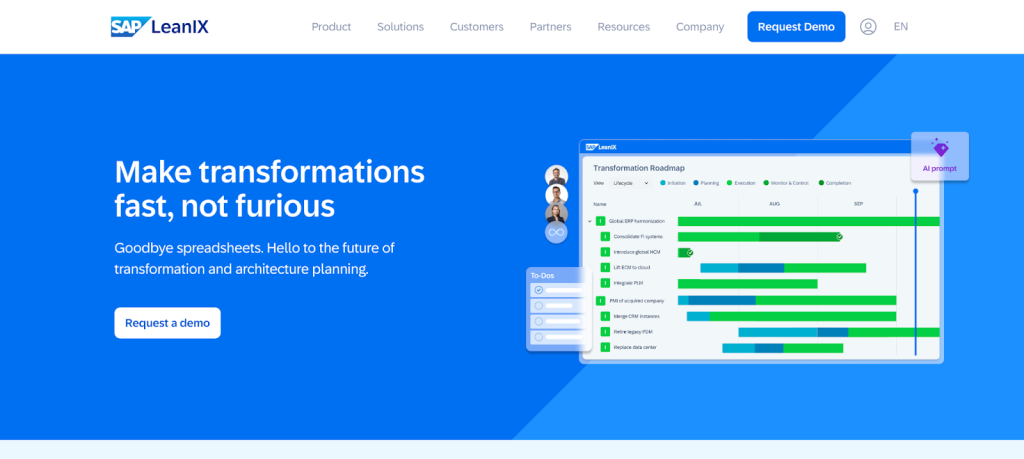
SAP LeanIX focuses heavily on the application and technology landscape.
Organizations can build application inventories, connect applications with business context, analyze dependencies, evaluate application portfolios, and plan modernization or transformation initiatives.
LeanIX is particularly well suited to organizations focused on application rationalization, technology risk, application modernization, and transformation planning.
For example, an enterprise may use it to identify redundant applications, understand ownership, evaluate technical health, or plan application retirements.
The distinction is relatively straightforward.
Choose SAP LeanIX when: you need to understand and optimize your application and technology portfolio.
Consider ER/Studio when: you need to understand, model, standardize, and implement the data architecture beneath that portfolio.
For some large organizations, these needs can be complementary rather than mutually exclusive.
HOPEX is designed for broad enterprise architecture and governance use cases.
Its focus extends across business architecture, application architecture, technology architecture, risk, governance, and transformation.
HOPEX is appropriate for organizations seeking a structured enterprise architecture environment spanning multiple architecture domains and governance requirements.
Choose HOPEX when: the primary requirement is broad enterprise architecture governance across business, application, and technology domains.
Consider ER/Studio when: the requirement is deeper enterprise data architecture, including logical and physical modeling, database implementation, metadata, and data governance.
Bizzdesign focuses on helping organizations connect enterprise architecture with strategic transformation.
Its platform brings together planning, architecture, governance, and portfolio information to help organizations understand current-state architecture and plan future-state change.
Bizzdesign is particularly relevant when architecture teams need to connect strategy, business capabilities, applications, technologies, and transformation initiatives.
Choose Bizzdesign when: strategy-to-execution, transformation planning, and broad enterprise architecture are the priority.
Consider ER/Studio when: the primary challenge is designing and governing enterprise data architecture at a much deeper level.
Planview Enterprise Architecture connects architecture with broader strategic and portfolio planning.
Its capabilities include business capability planning, technology roadmaps, strategy mapping, portfolio analysis, and relationships between business and technology assets.
Planview can be particularly valuable for organizations that want enterprise architecture information to contribute directly to investment, portfolio, and transformation decisions.
Choose Planview when: you need to connect enterprise architecture with strategic planning, investments, portfolios, and technology roadmaps.
Consider ER/Studio when: you need detailed data architecture and modeling capabilities that connect business concepts to database implementation.
Avolution ABACUS provides enterprise architecture modeling and analysis across business and technology domains.
Its flexibility makes it suitable for organizations that want to create architecture views, analyze dependencies, and adapt their architecture approach to different frameworks and organizational requirements.
ABACUS is oriented toward broad enterprise architecture analysis rather than specializing primarily in database and data modeling.
Choose ABACUS when: broad enterprise architecture modeling, visualization, and analysis are the primary requirements.
Consider ER/Studio when: enterprise data architecture, detailed database modeling, metadata, and implementation are more important.
The most useful comparison is not simply which product has the longest feature list. It is which architectural problem you need to solve.
| Platform | Primary focus | Best suited for |
| ER/Studio | Enterprise data architecture and modeling | Organizations needing deep logical and physical modeling, database design, metadata, governance, and semantic architecture |
| Sparx Enterprise Architect | Broad standards-based modeling | Teams using UML, BPMN, SysML, ArchiMate, and other modeling disciplines |
| Ardoq | Data-driven enterprise architecture | Application landscapes, capabilities, dependencies, and transformation |
| SAP LeanIX | Application portfolio management | Application rationalization, modernization, technology risk, and transformation |
| Bizzdesign HOPEX | Enterprise architecture and governance | Broad architecture governance across multiple domains |
| Bizzdesign | Enterprise transformation | Connecting strategy, architecture, portfolios, and transformation |
| Planview | Architecture and portfolio planning | Connecting capabilities and technology with investments and strategic planning |
| Avolution ABACUS | Enterprise architecture modeling and analysis | Flexible modeling and analysis across business and technology architecture |
The right tool depends on the architectural questions your organization needs to answer.
If the objective is understanding your complete application portfolio, mapping business capabilities, planning technology investments, or designing future-state enterprise architecture, look for a broad EA platform designed around those disciplines.
If your challenge centers on the architecture of the data itself, prioritize dedicated data modeling capabilities.
A data architecture team may need to define an Enterprise Logical Data Model, transform it into physical designs for several database platforms, compare those models with production schemas, manage shared standards, and connect the resulting metadata with governance and analytics environments.
Those requirements demand a different level of data modeling depth.
Some enterprise architecture initiatives primarily support strategic planning.
Others need to connect architectural decisions directly to implementation.
For data architecture, that can mean moving from:
Business concepts → logical models → physical models → DDL → database
It can also mean reverse engineering existing systems and comparing the current implementation with the intended architecture.
If those workflows matter, detailed data modeling and database engineering should be major evaluation criteria.
Collaboration means different things depending on the architecture discipline.
An enterprise architecture team may need stakeholders to contribute information about applications, capabilities, costs, ownership, and transformation plans.
A data architecture team may need several modelers to work on shared data models, control model versions, enforce reusable standards, and publish models and metadata to business stakeholders.
Choose collaboration capabilities that match the work your architects actually perform.
Governance should also be evaluated in context.
Traditional enterprise architecture governance may focus on technology standards, application lifecycles, architecture principles, and approval processes.
Data governance focuses on issues such as business definitions, modeling standards, metadata, data ownership, classifications, and consistency across systems.
ER/Studio supports the latter through model-driven governance capabilities and connections with broader governance platforms.
Whether you choose a broad enterprise architecture platform or a specialized data architecture platform, the value should extend beyond drawing diagrams.
Models should represent reusable information that can be searched, governed, compared, shared, and used to make decisions.
For data architecture in particular, models can also drive implementation. That is an important distinction between a diagramming tool and a dedicated data modeling platform.
ER/Studio becomes particularly compelling when the architecture challenge starts with data.
Consider a modernization initiative.
A traditional EA platform can help identify applications scheduled for modernization, their business capabilities, owners, dependencies, and target-state technologies.
ER/Studio addresses a different layer of the same initiative.
Data architects can reverse engineer existing database structures, understand the current data architecture, establish logical models independent of legacy implementations, design target-state physical models, compare changes, generate database structures, and maintain business definitions throughout the transition.
Or consider an AI initiative.
An EA platform can help document where AI applications exist within the technology landscape.
ER/Studio can help address a different question:
Does the data feeding those systems have consistent, governed business meaning?
Enterprise Logical Data Models can establish concepts, definitions, relationships, and rules that form a semantic backbone. That context can then be extended into governance, analytics, semantic layers, knowledge graphs, and AI environments.
The distinction is not about which discipline is more important.
It is about which architectural layer requires the greatest depth.
Yes. ER/Studio and traditional enterprise architecture platforms address different but complementary parts of the architecture landscape.
A broad EA platform can provide an enterprise-level view of business capabilities, Application Services, technologies, dependencies, and transformation initiatives. But understanding those applications and services can also require a deeper understanding of the data structures and metadata that support them.
This is where ER/Studio can complement an enterprise architecture solution.
ER/Studio provides detailed data and metadata architecture, including business concepts, logical and physical data models, database structures, definitions, mappings, and reusable standards. This gives architects and data teams deeper visibility into how information is defined and structured across the systems represented in the broader enterprise architecture.
Conceptually, the relationship looks like this:
Enterprise Architecture
Business Capabilities → Application Services → Applications → Technologies
Enterprise Data & Metadata Architecture with ER/Studio
Business Concepts → Logical Data Models → Physical Data Models → Database Structures
Definitions → Standards → Mappings → Metadata
Together, these perspectives provide different levels of architectural understanding.
The enterprise architecture solution provides the broader view of which applications and services support the business and how they fit into the technology landscape. ER/Studio provides deeper knowledge of the data and metadata structures underlying those systems.
Rather than replacing an enterprise architecture platform, ER/Studio can work alongside it to connect a high-level understanding of the application landscape with a detailed understanding of the data those applications and services depend on.
There is no single best enterprise architecture tool because these platforms solve different problems.
Organizations focused on application portfolio management and rationalization may gravitate toward SAP LeanIX. Teams that need broad standards-based modeling may consider Sparx Systems Enterprise Architect. Organizations focused on dynamic enterprise architecture and capability relationships may evaluate Ardoq. Larger transformation programs may look toward platforms such as Bizzdesign, HOPEX, Planview, or ABACUS.
ER/Studio occupies a different position.
It is designed for organizations where data architecture requires more depth than a general-purpose enterprise architecture platform provides.
ER/Studio enables teams to model business concepts, create logical and physical data models, establish reusable standards, design database schemas, manage change, connect models with business definitions and governance, and extend shared meaning into analytics and AI environments.
For organizations building data warehouses, lakehouses, cloud data platforms, governed analytics, or AI-ready data environments, that depth can make enterprise data architecture just as important as the broader enterprise architecture surrounding it.
See how ER/Studio can support your data architecture strategy.
An enterprise architecture tool helps organizations model, analyze, and manage relationships between business capabilities, applications, technologies, processes, data, and strategic initiatives. Different platforms specialize in different areas, so capabilities vary considerably between products.
ER/Studio is best described as an enterprise data architecture and data modeling platform. It supports the data architecture domain of enterprise architecture but is not a general-purpose enterprise architecture management platform for application portfolios, business capability planning, or technology roadmapping.
Enterprise architecture examines how business capabilities, applications, technologies, processes, and information work together to support organizational strategy. Data architecture focuses specifically on how data is defined, modeled, structured, governed, implemented, and shared across that environment.
Platforms such as SAP LeanIX and Ardoq focus broadly on areas such as applications, business capabilities, dependencies, technology portfolios, and transformation. ER/Studio specializes in the data layer, providing detailed conceptual, logical, and physical modeling, database engineering, metadata management, governance, and semantic architecture.
Yes. ER/Studio can transform logical models into physical models designed for target database platforms and generate DDL from physical database designs. It can also reverse engineer existing databases into models and compare models with database schemas to help manage ongoing change.
ER/Studio supports data governance through capabilities such as Enterprise Logical Data Models, business glossaries, Enterprise Data Dictionaries, metadata management, reusable standards, model collaboration, and integrations with governance platforms such as Microsoft Purview and Collibra.
Yes, particularly when enterprise architects need greater visibility into the organization’s data architecture. ER/Studio provides detailed models and metadata that help document how business information is defined, structured, and implemented. It complements rather than replaces broader EA capabilities such as application portfolio management and business capability planning.
Enterprise architecture provides the big picture. ER/Studio gives you the depth to design, standardize, govern, and implement the data architecture underneath it.
From Enterprise Logical Data Models and database design to metadata, governance, and semantic architecture, ER/Studio helps turn business meaning into data structures that can support analytics, applications, and AI.




