ER/スタジオロゴ
ER/スタジオロゴ
ホーム > 5 Visio Alternatives for Data Modeling Teams

5 Visio Alternatives for Data Modeling Teams

Visio Alternatives

Visio is a general-purpose diagramming application that many data architects start with since it’s a Microsoft product. However, teams look for alternatives when they hit Visio’s limits: reverse engineering stops at SQL Server 2016, there’s no DDL or ALTER script generation, and the diagram drifts from production with no way to detect it.

Visio alternatives fall into several categories, which can affect how much manual work each schema change costs and whether your model stays synchronized with production. 

This post compares Visio and five alternatives in both categories against the criteria data architects use to evaluate them.

要点

  • Visio’s Reverse Engineer Wizard stops at SQL Server 2016, generates no DDL or ALTER scripts, and has no way to detect when the diagram drifts from production.
  • Drawing tools like Lucidchart and draw.io improve the diagramming experience but share Visio’s core limitation: every schema change is manual rework.
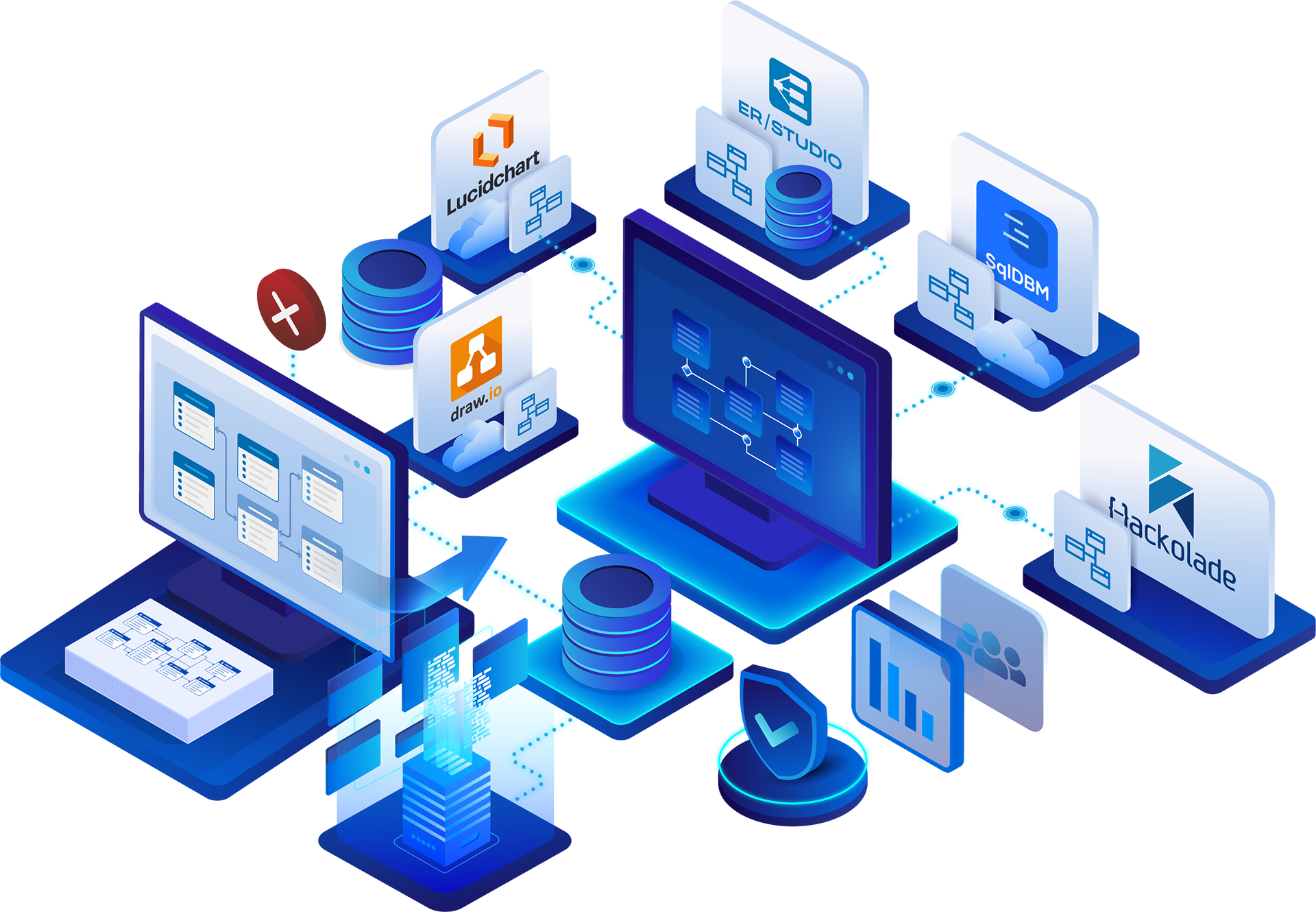
  • Database-aware platforms like ER/Studio, SqlDBM, and Hackolade can reverse-engineer live databases, generate DDL, and keep models synchronized with production.
  • The right choice depends on your use case: occasional sketches, cloud warehouse modeling, NoSQL/polyglot environments, or enterprise-governed modeling.

What Visio’s Database Model Diagram template does well

For a Microsoft 365 organization that needs an occasional ER view of a supported SQL Server database, Visio is already licensed and ready to use. Visio Professional and Visio Plan 2 include a Database Model Diagram template with a Reverse Engineer Wizard that gets a readable entity diagram from a live database without drawing a single box.

Here’s what the platform does well: 

  • Reverse Engineer Wizard pulls table, column, and key metadata through an ODBC data source
  • Template library covers UML, BPMN, and ERD in one application
  • Integrates with Microsoft 365, SharePoint, and Azure
  • Supported Visio editions can support co-authoring when files are stored in supported Microsoft cloud locations, such as OneDrive or SharePoint

Where Visio falls short for ER diagrams

Visio works for occasional diagrams of older SQL Server instances, but its limits create recurring problems as your modeling needs grow. Reverse engineering stops at SQL Server 2016, and Microsoft confirms it doesn’t support SQL Server 2019 or newer. 

Beyond that, these limitations are important to note:

  • No DDL or ALTER script generation inside Visio. The output is a static (though editable) diagram. Microsoft states that Visio’s Database Model Diagram does not support generating SQL code from a model, so DDL and ALTER scripts must be created outside Visio. Schema changes also require manual documentation updates in the diagram.
  • No ongoing model-to-database sync or dedicated schema compare-and-merge workflow. After a deployment, teams must manually update and validate the diagram against the database schema
  • No logical/physical model separation. Business meaning and implementation detail share one drawing.
  • No dedicated governance layer. No business glossary, lineage, role-based access, or versioned model history in Visio specifically, though this is available in Microsoft 365.

These limits compound on legacy estates, where documenting hundreds or thousands of interrelated tables by hand can take months, and the result is already out of date by the time it’s finished.

Visio alternatives at a glance

ToolG2Best use caseKey modeling capabilityGovernance and collaboration価格
Microsoft Visio 4.2/5Microsoft 365 teams making occasional ER views of SQL Server 2016 and earlierODBC Reverse Engineer Wizard producing a static diagramMicrosoft 365 co-authoringNo model governance layerVisio Plan 2, $15.00 per user/month, paid yearly
ER/Studio データアーキテクト4.1/5Governed multi-platform modeling connected to live databasesForward and reverse engineering, DDL and ALTER generation, Compare and Merge, logical and physical modelsPro adds team-oriented collaboration, version-control, and governance capabilities; Enterprise adds expanded enterprise governance and integrations, including Collibra and Microsoft Purview$2,687/yr (Standard), $3,693/yr (Pro), Enterprise by quote
ルシッドチャート4.5/5Browser-based collaborative diagramming, including quick ER sketchesERD shape libraries; Visio file import (VSDX, VSD, VDX)Real-time multi-user editing, revision historyNo governance layerFree tier available, but team pricing starts at $10 per user per month
draw.io (diagrams.net)—Free, occasional ER sketchesERD shape library; desktop and browser versionsStorage in Google Drive, OneDrive, or Confluence/JiraNo model governanceFree, open-source
SqlDBM4.6/5Cloud data warehouse modeling in the browserForward and reverse engineering with DDL and ALTER scriptsVersion control, approval workflowsCollibra, Atlan, and Alation integration includedPer-user, quote-based
Hackolade—NoSQL and polyglot schema modelingForward and reverse engineering across NoSQL, relational, and API/schema targets; Compare and MergeData dictionary; Collibra integration as a paid add-on (Professional and Workgroup)$175/seat/month or $1,750/yr; 14-day trial

The column to pay closest attention to is key modeling capability, which separates a drawing tool from a database-aware platform:

  • Drawing tools store shapes you arrange by hand. A schema change means redrawing.
  • Database-aware platforms store structural objects (tables, columns, keys, relationships) that can be reverse-engineered from a live database, generated as DDL, and kept synchronized through Compare and Merge.

This distinction matters because it determines how much work every schema change costs you. With a drawing tool, each change is manual rework. With a database-aware platform, it detects changes automatically and resolves them through reviewed scripts. As your schema grows, that difference compounds.

How we got our data

To compile this list and ensure it was accurate and objective, here’s how we got our data: 

  • G2 ratings: Pulled from each tool’s public G2 profile page. Where no rating exists, we noted that.
  • Pricing: Verified against each vendor’s published pricing page or product documentation. Where no public pricing exists, we noted that.
  • Features: Confirmed against official product pages, vendor documentation, and help center content.
  • Disclosure: ER/Studio is an IDERA product, and this comparison is published on the ER/Studio blog. ER/Studio is evaluated using the same criteria and honest limitations as every other tool listed.

5 Visio alternatives to consider (by use case)

Each tool below serves a different use case, from free diagramming to enterprise-scale governed modeling. We evaluate all five against the same criteria: notation support, forward and reverse engineering, governance integration, and collaboration and versioning.

1. ER/Studio Data Architect: best for governed, multi-platform modeling connected to live databases

ER/Studio データアーキテクト is a desktop data modeling tool that reverse-engineers live databases, generates physical models and DDL, and keeps those models synchronized with production. It picks up where Visio stops: when a diagram has to become a maintained, governed model.

最高だ: Data architects and modeling teams that have outgrown hand-redrawn diagrams and need reverse engineering, DDL and ALTER generation, separate logical and physical models, and a connection to governance tooling the organization already runs.

Key features:

  • Forward and reverse engineering across relational platforms (SQL Server, Oracle, MySQL, PostgreSQL, DB2), cloud data warehouses (Snowflake, Amazon Redshift, Azure Synapse, Google BigQuery), and NoSQL/JSON sources such as MongoDB
  • Conceptual-to-logical-to-physical progression through Business Data Objects and a physical model generation wizard that applies naming standards and data type mappings
  • Compare and Merge between a model and a live database, with ALTER scripts for incremental changes
  • Support for Data Mesh, Lakehouse, and Data Vault architectures alongside traditional relational modeling
  • Native integration with Collibra and Microsoft Purview in the Enterprise edition

What we like:

  • Can read current releases of listed platforms, answering Visio’s SQL Server 2016 ceiling directly
  • Schema changes become ALTER scripts a DBA can review before deployment
  • Relationships and cardinality are stored as model objects the tool generates DDL from
  • Enterprise edition’s Collibra connector synchronizes models and glossary terms; Purview integration synchronizes lineage and compliance metadata
  • Team Server adds a searchable registry of data sources plus business glossary and ontology management
  • Entrust documented legacy databases with thousands of interrelated tables in one week, a process estimated at six months

Capabilities vary by edition, and the edition comparison covers what each tier includes.

Watch out for:

  • Higher cost of entry than a browser-based diagramming tool
  • More platform to learn for a team that only needs occasional diagrams
  • Standard doesn’t include Team Server; collaboration and version management require Pro
  • Enterprise glossaries, ontology management, and the Collibra/Purview integrations require Enterprise

Pricing: Data Architect Standard is $2,687 per user per year, and Data Architect Pro is $3,693 per user per year. Enterprise is priced by custom quote.

Reviews: As a customer voice, Patrick Rock, Data Modeler at Werner Enterprises, reports that ER/Studio let his team push further toward data as a business enabler. According to Rock, data discovery took less effort, and data movement from input to tracking became agile enough to keep numerous projects running at once.

2. Lucidchart: best for browser-based collaborative diagramming beyond Visio

ルシッドチャート is a browser-based visual collaboration and diagramming platform. Multiple users can edit the same ERD simultaneously, and teams can import existing Visio files in VSDX, VSD, and VDX formats. It also supports ERD/database import workflows that can bring database tables, schemas, keys, and relationships into a diagram.

最高だ: Teams that want a faster, more collaborative upgrade from Visio for general diagramming and quick ER sketches, where the diagram doesn’t need to stay connected to a live database.

Key features:

  • Drag-and-drop ERD shape libraries and templates
  • Real-time multi-user collaboration
  • Visio file import and export (VSDX, VSD, VDX)
  • Revision history
  • Integrations with Google Workspace and Microsoft Office/365

What we like:

  • Simultaneous editing lets an architect and an analyst work on the same diagram in a review session
  • Revision history lets either of them roll back a bad change
  • Template library covers flowcharts, org charts, and process flows beyond ER work
  • Visio file compatibility (VSDX, VSD, VDX) makes the move straightforward

Watch out for:

  • ERD content consists of shapes and text labels, though it can import database tables and schemas 
  • No reverse engineering, or DDL/ALTER generation
  • No separation of logical and physical models
  • No glossary, lineage, or role-based access for model governance

Pricing: Free plan available. Team pricing starts at $10 per user per month, when paid annually.

Reviews: 4.5/5 on G2 with over 8,900 reviews. 

3. draw.io (diagrams.net): best for free, occasional ER sketches

draw.io is a free, open-source diagramming tool with an ERD shape library, available as both a browser and desktop application.

最高だ: Teams that want a free tool with no account required for occasional ER sketches, and that accept lighter collaboration and no governance features in exchange for zero cost.

Key features:

  • Free and open-source
  • ERD shapes alongside flowchart, network, and UML libraries
  • Local file storage, or integration with Google Drive, OneDrive, and Confluence/Jira
  • Desktop and browser versions

What we like:

  • No license fee at any team size
  • Desktop version works fully offline
  • Storing diagrams in Confluence or Jira keeps an ER sketch next to the ticket that explains it
  • Broad enough to cover network and UML work Visio users may also be moving

Watch out for:

  • ERD content is shapes and text labels only, with no structural database objects behind them
  • Same core ceiling as Visio and Lucidchart: no live database connection, reverse engineering, or DDL/ALTER generation
  • No logical/physical separation and no governance layer
  • Performance can degrade on larger, more complex diagrams
  • Best treated as a sketching tool; keep the system of record in a database-aware platform

Pricing: Free and open-source, with no paid tier for the core product.

4. SqlDBM: best for cloud data warehouse modeling in the browser

SqlDBM is a browser-based data modeling platform built around cloud data warehouses. It reverse-engineers from and generates scripts for warehouse platforms that Visio’s wizard doesn’t reach.

最高だ: Data engineering and modeling teams working mainly in cloud data warehouses that want browser-native forward and reverse engineering with no desktop install to manage.

Key features:

  • Reverse and forward engineering for Snowflake, Databricks, BigQuery, Amazon Redshift, Azure Synapse, and Microsoft Fabric, plus PostgreSQL, SQL Server, Oracle, MySQL, and AlloyDB
  • DDL and ALTER script generation
  • Version control and approval workflows
  • Source-to-target and business view documentation
  • Native Collibra, Atlan, and Alation integration included in per-user pricing

What we like:

  • Relationships and constraints are stored as model structure that generates DDL, not just drawn shapes
  • Platform list matches where cloud warehouse work runs (Snowflake, Databricks, BigQuery, Redshift, Synapse, Fabric)
  • Approval workflows put a reviewer between a model change and the script it produces
  • Collibra, Atlan, and Alation integrations included in per-user pricing
  • Fully browser-based with no desktop install

Watch out for:

  • Scope is cloud warehouse and modern relational platforms; NoSQL and polyglot modeling fall outside it
  • Enterprise glossary and ontology depth is lighter than platforms designed around governance from the start
  • Per-user rates aren’t published, so budget planning takes an extra step

Pricing: Per-user and quote-based, with no public list price. 

5. Hackolade: best for NoSQL and polyglot schema modeling

Hackolade Studio is a polyglot data modeling tool covering NoSQL, relational, and API schema formats. It handles the document, wide-column, and graph databases that a drawing tool like Visio can only draw as generic boxes.

最高だ: Teams working across NoSQL, polyglot, or API/schema environments (MongoDB, Cassandra, DynamoDB, Neo4j, Cosmos DB, Elasticsearch, and 45+ other targets) that need forward and reverse engineering beyond what a relational-first tool covers.

Key features:

  • Polyglot reverse and forward engineering across NoSQL, relational (Oracle, PostgreSQL, SQL Server, IBM Db2), and API/schema formats
  • Conceptual, logical, and physical model separation
  • Compare and Merge
  • A data dictionary
  • Optional Collibra integration

What we like:

  • One of the broadest database-type coverage on this list, particularly NoSQL and graph databases that diagramming tools can’t model structurally
  • Stores NoSQL structures as model objects that can be forward-engineered back to the target
  • Conceptual, logical, and physical separation with Compare and Merge
  • 14-day full-feature trial with no credit card lets you test against a real collection before buying

Watch out for:

  • Collibra integration is a paid add-on, available only on Professional and Workgroup editions
  • Enterprise-wide collaboration and governance portal features are lighter than platforms designed around governance from the start
  • Desktop-first product; browser option is newer

Pricing: Professional/Workgroup subscriptions run $175 per dedicated seat per month or $1,750 per dedicated seat per year. 

How to choose the right Visio alternative

Score any Visio replacement against four criteria:

  • Notation support. Are crow’s foot notation and cardinality stored as model structure the tool can generate from, or only as drawn shapes?
  • Forward and reverse engineering. Does the tool reverse-engineer the platforms and versions your estate runs, and generate both DDL and ALTER scripts?
  • Governance integration. Does it include a business glossary, lineage, and a connection to the catalog your organization already uses?
  • Collaboration and versioning. Is there a shared repository, version history, and role-based access to models?

Which tool fits which team

Team needWhere to look
Pure diagramming, occasional ER sketchesLucidchart or draw.io
Cloud-warehouse-native modelingSqlDBM
NoSQL and polyglot modelingHackolade
Enterprise governed modeling across relational, cloud, and NoSQL platforms at onceER/Studio データアーキテクト

No single tool on this list is the right pick for every team. Start with the problem pushing you off Visio, whether that’s the SQL Server 2019 ceiling, manual redrawing, or missing governance, and shortlist the tools that fix it.

Here’s what to check before committing:

  • Check independent reviews. Focus on reviewers who describe schema-change workflows similar to yours.
  • Run a trial. draw.io is free, Hackolade offers a 14-day trial, and ER/Studio offers a 無料体験 and a Community Edition.
  • Start from the live database, not the old drawing. Reverse-engineering production into the new tool is usually a better starting point than importing a Visio file that may have already drifted. Teams staying with diagramming can use Lucidchart’s VSDX import.

Evaluating ER/Studio Data Architect for your team

If your team needs multi-platform reverse engineering, DDL and ALTER generation, and governed models that stay synchronized with production, ER/Studio Data Architect is built for that workflow. These editions scale with what your team needs:

  • Data Architect (Standard): Forward and reverse engineering, DDL and ALTER generation, logical and physical modeling, and Compare and Merge for individual data architects.
  • Data Architect Pro: Adds a shared model repository with version control, universal mappings, and team coordination.
  • Enterprise: Adds Team Server’s web portal with enterprise glossaries, ontology management, graphical impact analysis, and native Collibra and Microsoft Purview integration.

To test ER/Studio against your own databases, start with a 無料体験 or the Community Edition.

Visio alternatives FAQ

Can I bring existing Visio ER diagrams into another tool?

Yes. Lucidchart imports VSDX, VSD, and VDX files directly. For database-aware platforms, reverse engineering the live database into a fresh model is the stronger starting point, since the Visio drawing may no longer match production.

How much do Visio alternatives for data modeling cost?

Visio alternatives for data modeling range from free to custom enterprise quotes. draw.io is free, and the Visio baseline is Visio Plan 2 at $15.00 per user per month, paid yearly. Lucidchart uses a tiered subscription, and SqlDBM quotes per user. Hackolade runs €175 per seat per month or €1,750 per year. ER/Studio Data Architect is $2,687 (Standard) or $3,693 (Pro) per user per year, with Enterprise by quote.

Why switch from Visio for ER diagrams if it’s already licensed?

Because Visio’s limits create recurring work that costs more than the license saves. It can’t reverse-engineer SQL Server 2019 or newer, it generates no DDL or ALTER scripts, it has no live sync, and it has no governance layer. Redrawing after every schema change keeps costing time. Staying on Visio is still reasonable for occasional diagrams of supported SQL Server versions.

Is there a free Visio alternative for ER diagrams?

Yes. draw.io (diagrams.net) is free and open-source, with an ERD shape library and desktop and browser versions. It has no database connection, reverse engineering, or DDL generation, so model maintenance stays manual. To evaluate database-aware modeling at no cost, Hackolade offers a 14-day full-feature trial, and ER/Studio offers a 無料体験 and a Community Edition.

Can Visio reverse engineer SQL Server 2019?

No, Visio can’t reverse engineer SQL Server 2019. Microsoft confirms support for SQL Server 2016 and earlier only. SQL Server 2019 and newer aren’t supported. Teams running current SQL Server releases need a different tool for reverse engineering.

What’s the best Visio alternative for data modeling?

The best Visio alternative for data modeling depends on what you need. For occasional ER sketches with no database connection, Lucidchart or draw.io. For cloud-warehouse-native modeling, SqlDBM. For NoSQL and polyglot environments, Hackolade. For enterprise-governed modeling across relational, cloud, and NoSQL platforms, ER/Studio Data Architect. The right choice follows the specific gap in your current workflow.


ライアン・ハーシュ

ライアン・ハーシュはER/Studioのプロダクトマーケティングマネージャーで、データおよびデジタル業界での経験を持つ。統合マーケティングとプロジェクト管理の修士号を取得。.
著作権 © 2026 Idera, Inc.

Before You Go…

Want the latest ER/Studio content without checking back? We’ll send you a monthly roundup of new blogs and insights.

Hi! Need help finding something?
ER/Studio
Here to help you find your way
