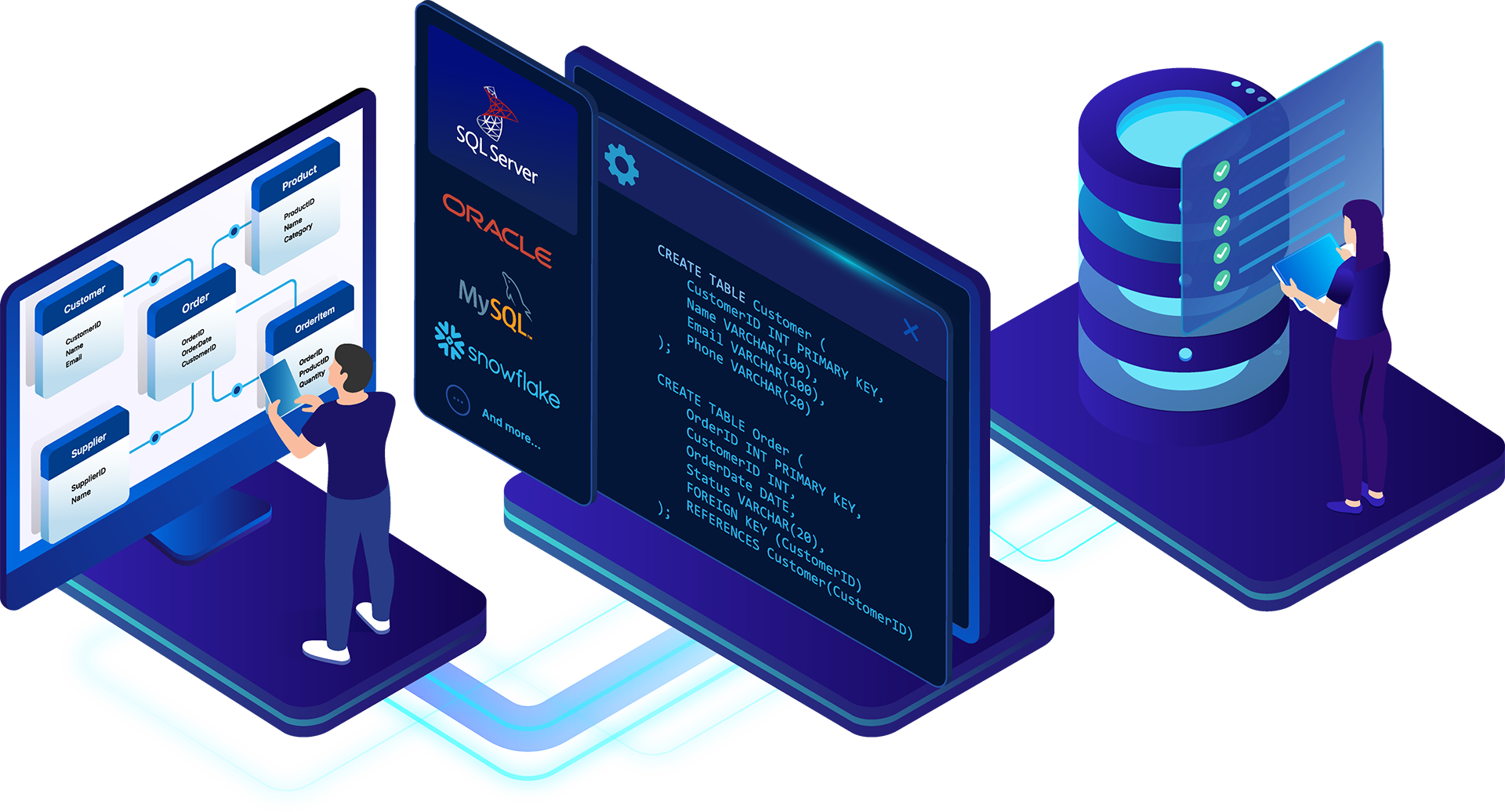
Designing a database is one thing. Turning that design into a working database is another.
For data architects, modelers, and database engineers, that transition can introduce a surprising amount of manual work. Tables need to be created. Columns and datatypes must match the design. Primary and foreign keys need to be implemented correctly. Constraints, indexes, and other database objects have to reflect decisions already made during modeling.
When those structures are recreated manually in SQL, there is another opportunity for the design and implementation to diverge.
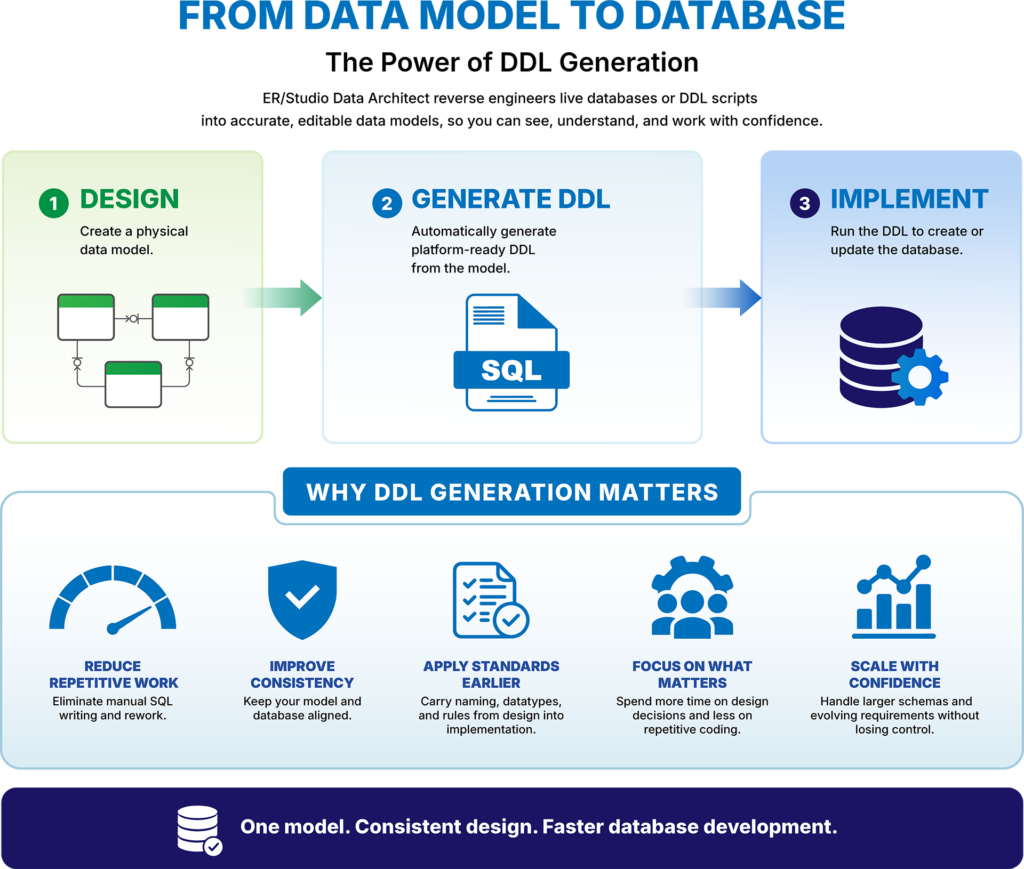
Professional data modeling tools address this problem with forward engineering and Data Definition Language (DDL) generation. Instead of treating a data model as a picture that developers must interpret and rebuild, ER/Studio Data Architect can generate platform-ready DDL from the model, helping move database designs toward implementation faster and with greater consistency.
That distinction is important. A drawing tool can show you what a database should look like. A true data modeling tool can help you build it.
A physical data model represents decisions that have already been made about how data should be structured. Yet without DDL generation, those decisions often have to be translated manually into SQL before they can become part of an actual database.
Consider a model containing dozens or hundreds of tables. A developer may need to manually write or modify CREATE statements for the database objects represented in that model. As the design changes, the SQL must change too.
That creates two versions of the database design: what exists in the model and what exists in the implementation scripts.
Keeping them aligned becomes another task.
A datatype gets changed in the model but not in the script. A relationship is redesigned but the corresponding constraint isn’t updated. Naming standards are followed in the model but implemented differently in the database. Small discrepancies can eventually become significant ones.
Drawing tools do little to close this gap. They can be useful for creating illustrations, whiteboard sketches, and early design concepts, but the objects on the screen aren’t necessarily part of an actionable database design. Someone still has to interpret the diagram and build the database.
ER/Studio Data Architect takes a different approach. The model is a working database design that can be used for forward engineering and DDL generation.
Data Definition Language is the SQL used to define and modify database structures, including commands such as CREATE TABLE and ALTER TABLE. DDL generation uses information already represented in the model to produce the corresponding database code.
Instead of designing a database and then manually recreating that design as SQL, the model becomes the basis for implementation.
Experienced database professionals are perfectly capable of writing SQL. The question is whether manually recreating work that has already been completed in the data model is the best use of their time.
If a 物理モデル already defines how the database should be structured, manually translating those decisions into DDL introduces repetitive work and another place for mistakes to occur.
Model-driven DDL generation helps eliminate that unnecessary translation.
It can reduce the amount of repetitive SQL development required to move from design to database, particularly when working with large schemas. More importantly, it helps preserve the decisions already captured in the model as the design moves toward implementation.
Standards are part of that equation. ER/Studio supports reusable domains, datatypes, and naming standards within the modeling process. Rather than relying on developers to manually reproduce those decisions later, a model-driven workflow provides a more direct path between the standardized design and the resulting database.
This doesn’t eliminate the need for database expertise. Generated DDL can still be reviewed and refined as appropriate for the project and target environment.
What it does eliminate is much of the repetitive work involved in translating a design that already exists.
Architects and engineers can spend more time making decisions about how data should be structured, how entities should relate, and how the database should evolve, rather than rebuilding the same structures by hand.
The benefits become particularly clear when building a new database. Once an architect has completed the physical design, ER/Studio can generate DDL based on that model. Instead of handing developers a diagram and asking them to reproduce it, the design itself can support the next stage of development.
Modernization projects provide another strong use case. A team can reverse engineer an existing database to understand its current structure, refine the resulting model, and then use フォワード・エンジニアリング to move the improved design toward implementation. ER/Studio combines reverse and forward engineering, Compare & Merge, and DDL generation as part of its database modernization capabilities.
This creates a valuable workflow:
Existing Database → Reverse Engineer → Model → Refine → Generate DDL
Database migrations can follow a similar process. Rather than treating a migration solely as a collection of scripts, architects can use the model as a layer between the source database and the target implementation. That provides an opportunity to understand and improve the design before generating database structures for the target environment.
DDL generation is equally useful after the initial database has been built. Databases change continuously as applications and requirements evolve. ER/Studio’s broader database engineering workflow combines DDL generation with Compare & Merge capabilities that can help identify differences between models and manage changes over time.
The model therefore doesn’t have to become documentation that sits untouched after development. It can remain part of the database design and engineering process.
The goal of DDL generation isn’t to eliminate SQL expertise. It’s to avoid spending that expertise manually reproducing decisions that have already been captured in the model.
| Database Development Task | Manual Approach | Model-Driven DDL Generation |
| Translate designs into SQL | Recreate model decisions manually | Generate DDL from the data model |
| Maintain design standards | Reapply standards during coding | Carry modeled standards into implementation |
| Move from design to development | Interpret diagrams and documentation | Generate platform-ready database code from the model |
| Implement design changes | Update models and scripts separately | Use the model to drive updated database designs |
| Modernize existing databases | Analyze and rebuild structures manually | Reverse engineer, refine the model, and generate the new design |
| Manage differences over time | Identify changes manually | Use modeling and Compare & Merge workflows to identify differences |
For architects and engineers, the difference is significant. The data model becomes more than a reference for what developers should build. It becomes an active part of how the database gets built.
Consider a team modernizing an application built on a database that has evolved for years.
The current database contains hundreds of tables and reflects countless development decisions made over its lifetime. The team doesn’t want to reproduce every legacy decision in the new environment, but they also can’t redesign the database safely without first understanding what exists.
ER/Studio can reverse engineer the existing database into an editable data model. The architect can then analyze the current design, make changes, apply standards, and refine the model for the new environment.
Once the updated design is ready, DDL generation helps move it toward implementation.
Reverse engineering and DDL generation therefore represent two sides of professional data modeling. Reverse engineering turns an existing database into a model. DDL generation helps turn a model into a database implementation.
That creates a continuous workflow that drawing tools simply aren’t designed to provide.
It also illustrates why a professional data model is fundamentally different from a diagram. ER/Studio combines physical modeling with reverse engineering, forward engineering, DDL generation, Compare & Merge, reusable standards, and broad database platform support.
A diagram communicates an idea.
A data model can help put that idea into practice.
If you’ve already designed the database, you shouldn’t have to manually build the same design again.
Model-driven DDL generation reduces repetitive work, helps maintain consistency between design and implementation, and creates a more direct path from data modeling to database development.
Combined with reverse engineering and model comparison, it also supports an iterative workflow in which architects can understand existing databases, improve their designs, implement changes, and continue evolving those designs over time.
That’s what separates a professional data modeling tool from a drawing application.
ER/Studio doesn’t just help you show what a database should look like. It helps you build it. Try Data Architect free today.
DDL generation automatically creates Data Definition Language (DDL) scripts from a data model. Instead of manually translating a database design into SQL, the model can be used to generate the code needed to implement the database structure.
ER/Studio Data Architect uses the structures and design decisions captured in a data model to generate platform-ready DDL through forward engineering. This creates a more direct path from database design to implementation.
They work in opposite directions. Reverse engineering turns an existing database or schema into an editable data model, while DDL generation uses a model to produce database implementation code. Together, they support workflows for understanding, redesigning, and implementing databases.
Generating DDL reduces repetitive coding and helps keep database implementations consistent with their underlying models. It allows architects and engineers to spend less time recreating structures already defined during modeling and more time refining database designs.
Yes. Architects can reverse engineer an existing database, refine or redesign the resulting model, and then use forward engineering and DDL generation as part of the modernization process. ER/Studio supports reverse and forward engineering, Compare & Merge, and DDL generation for these types of database engineering workflows.





