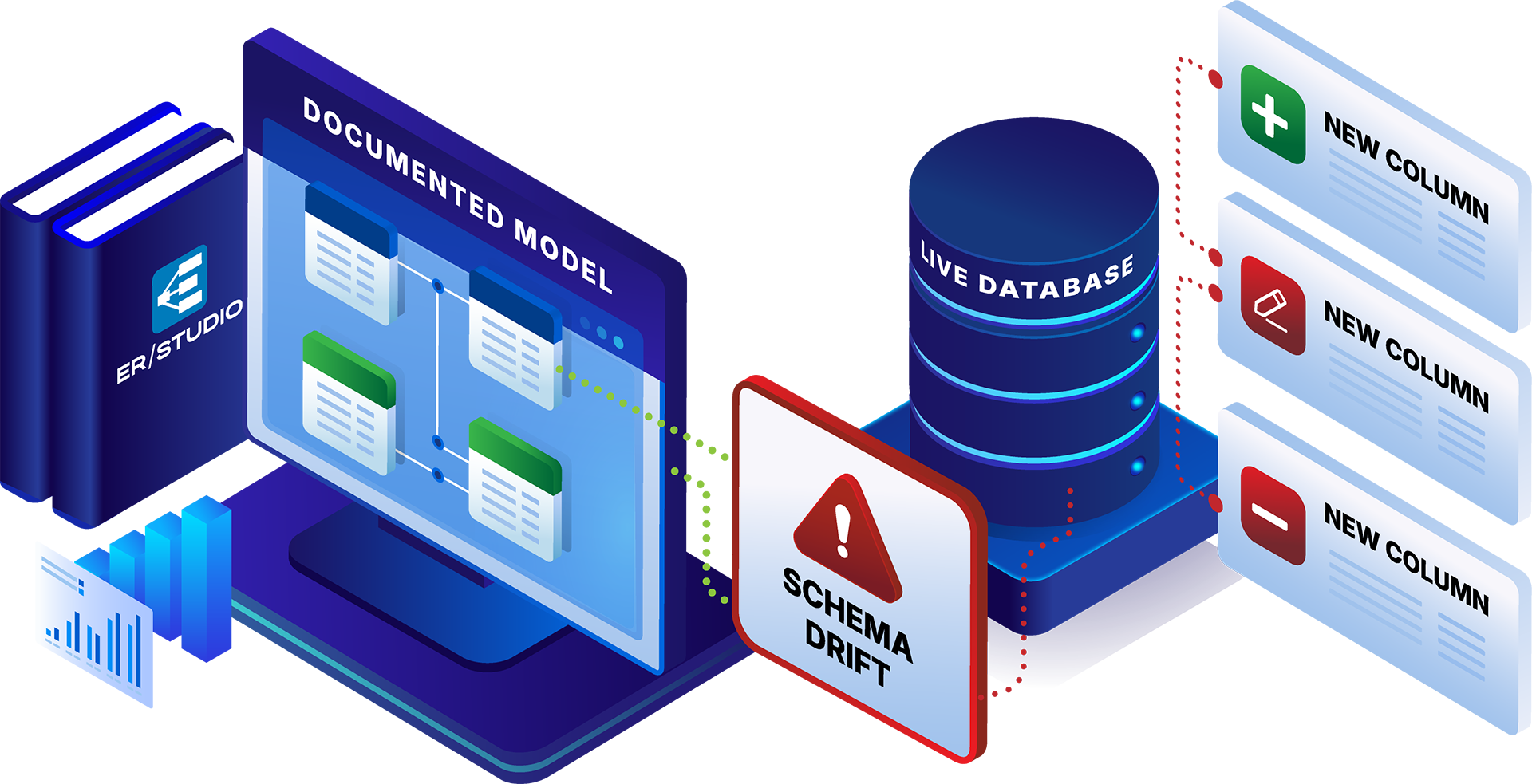
Schema drift is the gap between what a live database actually looks like and what the documented model says it looks like. While it doesn’t cause errors on its own, damage will show up later in the form of migrations that fail against production, reports that pull from columns that have been retyped, or impact analyses that miss dependencies only present in the live schema.
This post covers what causes drift, what it puts at risk, and how to catch and resolve it.
Schema drift is when a live database’s structure no longer matches the model that documents it. Columns get added, data types change, constraints get dropped, or tables get created directly in production without updating the model. The database gives no signal when this happens. It only reports its current state.
Most governed databases are documented in two layers: a physical model (data types, constraints, indexes, stored procedures) and a logical model (what those structures mean to the business). Drift is any mismatch between either layer and what the database actually holds.
No, schema drift is not the same as ETL/pipeline schema drift.
Database drift is when a live database’s structure diverges from the model of record that documents it.
ETL or pipeline drift describes incoming data changing shape when a pipeline ingests it, with columns added, removed, or retyped between runs. Microsoft’s Azure Data Factory documentation uses the term this way for mapping data flows.
Database drift and pipeline drift differ on almost every point that matters to the people responsible for them.
| Database drift | Pipeline drift | |
| What changes | The structure of a governed database | The shape of incoming source data |
| How the change is viewed | An unplanned departure from the documented model | Expected input |
| Typical response | Detect, review, and reconcile with the model | Accept and map drifted columns in the flow |
| Primary owners | Data architects, DBAs, governance leads | Data engineers building pipelines |
Schema drift happens whenever a schema change reaches production through a path that does not also update the model. This can be caused by:
In each case, the application keeps working against the changed schema, so nobody opens the model until a migration, report, or audit raises the question.
Schema drift doesn’t just risk the next deployment. The damage extends into governance, reporting, and compliance.
Your database can run for months with no indication that the model is out of date. The problem surfaces when the next migration is tested against a reference that no longer matches production and a routine deploy becomes an incident.
The same mismatch can surface during disaster recovery. A rebuild from the documented schema produces a technically valid database, but it will miss any changes production depended on and nobody recorded.
Reports, extracts, and integration pipelines are often designed from the documented model. When a column has been renamed, retyped, or repurposed in production, a report built from the model either fails outright or runs and returns wrong numbers.
The reverse scenario is just as damaging. A column added in production that the model never recorded may already feed a dashboard someone built directly against the database. When a later release regenerates the table from the model, that column disappears and the dashboard breaks.
Glossary terms mapped to columns that production no longer uses point to the wrong place. Impact analysis misses dependencies on objects that only exist in production. Lineage traces a flow through structures that have since changed. None of these throws an error.
A Gartner survey found that 63% of organizations either do not have or are unsure if they have the right data management practices for AI. When the model doesn’t match production, any analytics or AI initiative reading definitions from it gets an outdated picture of the estate.
GDPR Article 30 requires controllers to maintain a record of processing activities, including the categories of personal data processed, and to make that record available to the supervisory authority on request.
That means if a hotfix added a column holding personal data and the model never captured it, documentation derived from the model can understate what the organization stores.
Drift detection starts with a comparison: reverse engineer the live database into a model and compare the result against the model of record. Every difference between the two is a candidate for drift.
A migration log only records changes that went through the scripted process. A hotfix applied directly to production never enters the log, so the log cannot reveal it. Migration checksums catch a modified script, but not an out-of-band change to the database.
Environment comparisons have a similar blind spot. If someone applied a hotfix to both staging and production by hand, the two environments still agree with each other. The comparison reports nothing, but both still disagree with the model.
A documented physical model avoids both blind spots because it records the intended structure independently of how changes were applied.
NIST SP 800-53 frames configuration control around the same idea:
NIST writes about information systems in general, not databases specifically, but the parallel is direct. The documented model is your baseline, drift is an unauthorized change, and reverse engineering followed by comparison is how you monitor for it.
ER/Studio Data Architect’s reverse engineering connects to a live database or reads DDL scripts and generates logical and physical models from what it finds. It supports SQL Server, Oracle, PostgreSQL, Snowflake, and other platforms.
Once the model exists, ER/Studio validates naming conventions and flags missing relationships alongside the drift check. And in Data Architect, the workflow becomes a repeatable loop that can help teams spot drift fast:
An undocumented legacy system has nothing to compare against, so drift detection cannot start until you build a baseline.
Reverse engineering creates that baseline. It imports the existing schema into a physical data model with exact data types, constraints, indexes, and platform artifacts.
That output reflects everything in production today, but it doesn’t carry any business meaning on its own. You still need to review it, decide which structures are intentional, and add the logical layer with entity definitions and glossary terms.
Once you approve that model as the model of record, every future reverse engineering run is a drift check.
Once Compare and Merge surfaces the differences, you decide each one individually. You can update the model, revert the database, or investigate further. Here are some general guidelines to follow:
| If the difference is… | Then… |
| A legitimate production change (e.g., a column added during a hotfix that the business still needs) | Merge it from the database into the model and add a definition |
| An unauthorized or accidental change (e.g., a leftover table from a one-time script) | Push the model’s version back to the database via a reviewed ALTER script |
| Unclear or undocumented | Investigate the origin through the migration log and change tickets before deciding |
Compare and Merge in ER/Studio Data Architect handles both directions in the same session. When a difference should update the model, you merge it in. When the database should change, Data Architect generates an ALTER script for the specific objects that need to move.
ALTER scripts modify only the affected objects, so you don’t need to drop and rebuild the entire schema or reload all of its data.
However, not every ALTER is a simple in-place change.
For some differences, such as a column added somewhere other than the end of a table, ER/Studio generates an extended alter that renames the table, rebuilds it, and reloads the data. Reviewing the script before deployment gives the DBA time to plan for that. After the script runs through the normal change process, re-running the comparison confirms the model and database match.
Entrust needed to document legacy databases with thousands of interrelated tables and little or no existing documentation. Using ER/Studio’s reverse engineering, Entrust completed work estimated at six months in one week.
That meant they could approve a model of record while it still reflected production and start running drift checks right away. Without that speed, the baseline effort often gets postponed indefinitely, and the database continues to change with nothing to compare it against.
If you don’t have a recent comparison between your model of record and your production schema, drift may already be present.
To find out whether your model and production have diverged:
ER/Studio Data Architect handles each of these steps. You can reverse engineer the live database to capture its current schema or build a baseline from scratch, then use Compare and Merge to review the differences and decide which side to keep. When the database needs to change, Data Architect generates the ALTER scripts to bring it in line with the model.
To see what has drifted in your own environment, reverse engineer a production database and compare it against your model of record.
Try For Free with ER/Studio Data Architect.
Schema drift in Snowflake most commonly refers to pipeline drift, where data arriving for a load changes its columns or types between runs. However, Snowflake tables in a governed warehouse can also drift in the database sense when their live structure no longer matches the model that documents them.
Schema drift in ADF pipelines is handled in the ingestion layer. Microsoft’s mapping data flow documentation explains how to configure data flows for columns that change between runs. It becomes a modeling question once those changes reach a governed target table, because that table then differs from its documented model.
Schema drift is caused by schema changes that reach production without an update to the documented model. The most common paths include:
– Emergency hotfixes applied directly to production
– Partial or failed migrations
– Environment skew between instances
– ORM auto-sync and BI tools that create tables outside the governed process
– Restores from stale snapshots
– Multiple teams changing a shared database without coordinating
Schema drift is detected by reverse engineering the live database into a model and comparing it against the model of record, then using the migration log to trace where each difference came from. A legacy system without documentation needs a baseline model built through reverse engineering before any comparison is possible.
Schema drift is resolved by reviewing each difference individually. If the production change is legitimate, the model is updated to include it. If it is not, the database is changed back to match the model, usually through an ALTER script that modifies only the affected objects. Running the comparison again afterward confirms that the model and the database match.
How often you check depends on how many teams and processes touch the schema. At a minimum, run a comparison after every incident that involved a direct production change. High-change environments with multiple teams modifying shared databases benefit from more frequent checks.