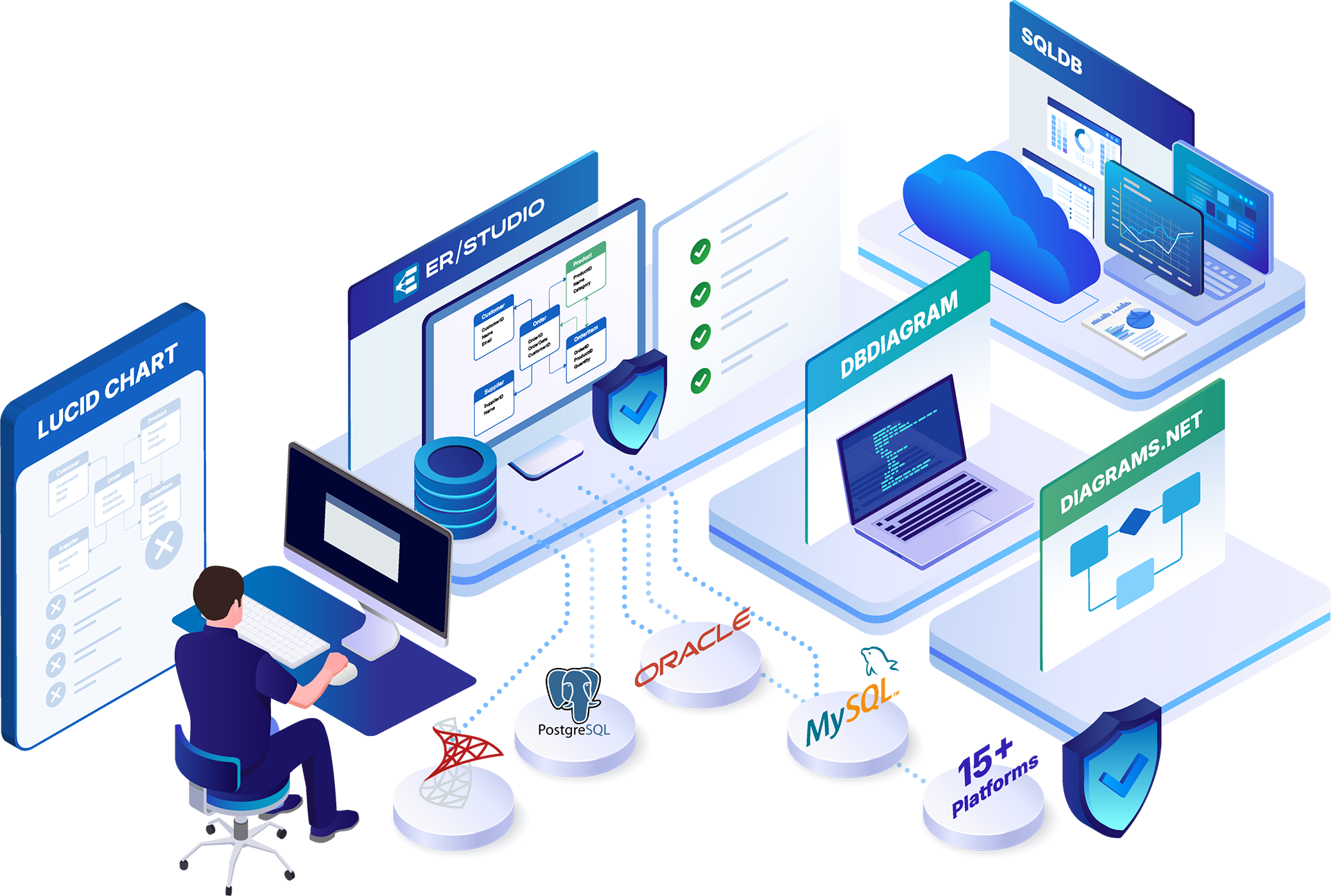
ER/Studio logo
ER/Studio logo
Home > 6 Lucidchart Alternatives for Data Modeling Teams

6 Lucidchart Alternatives for Data Modeling Teams

6 Lucidchart Alternatives for Data Modeling Teams

Lucidchart is a capable diagramming tool. 

It handles process flows, org charts, and quick-sketch system diagrams well. Where it shows limits is in database-specific work: connecting to a live database and importing its schema, generating DDL for deployment, separating a platform-independent logical model from a database-specific physical model, or keeping a model synchronized with production through iterative schema changes. 

Data architects working in those contexts eventually reach for something purpose-built. 

This guide maps each Lucidchart alternative against criteria that matter for database and data architecture work, so you can match a tool to your operating environment rather than a feature checklist.

Key Takeaways

  • Choose ER/Studio if you manage multi-platform, regulated, enterprise environments. It reverse-engineers across 15+ database platforms, separates logical and physical models, and synchronizes metadata bi-directionally with Microsoft Purview and Collibra.
  • Choose SqlDBM if your team is cloud-native and building new warehouse schemas. Its browser-native workflow and AI-assisted generation map directly to Snowflake, Databricks, and BigQuery, and it suits teams that do not carry formal governance requirements.
  • Choose a free, single-platform tool (MySQL Workbench or pgModeler) if you work within one database and one team. Both offer reverse engineering within their database scope at no cost.
  • The deciding factors are platform scope and governance obligations. A single database and a single team can use lightweight tools; cross-platform estates under compliance pressure need an enterprise-grade platform with full lifecycle coverage.

Not sure whether Lucidchart is holding your team back? Tell us what your environment looks like and where the friction shows up, and we will give you a straight read on whether a diagramming tool still covers the work or whether the database side has outgrown it. Talk to the ER/Studio team.

Why Look for a Lucidchart Alternative?

Lucidchart earns its place for process flows, org charts, and quick architecture sketches, and plenty of data teams start there for good reason. The friction shows up once the work moves from drawing a database to operating one. A handful of limits tend to surface in roughly that order:

  • No live database connection or schema import. Diagrams are drawn by hand. Lucidchart does not connect to a running database, pull in an existing schema, or keep a picture aligned with the tables that actually exist.
  • No DDL generation or deployment path. A diagram stays a diagram. There is no generated CREATE or ALTER script to push a design into a database, so the model and the deployed schema drift apart almost immediately.
  • No separation of logical and physical models. Disciplined data modeling keeps a platform-independent logical design separate from the database-specific physical implementation. Lucidchart treats a diagram as a single flat picture, so the distinction architects rely on isn’t available to work with.
  • No reverse engineering or model comparison. When a production schema changes, there is no way to compare it against the model and merge the differences. Documentation has to be redrawn by hand, and it goes stale quickly.
  • No governance layer. Business glossaries, data lineage, role-based access, and audit history sit outside Lucidchart’s scope, which becomes a real problem the moment compliance enters the conversation.

None of this makes Lucidchart a bad tool. It makes it a diagramming tool. Once a team needs the database side to stay accurate on its own, the gaps above are usually what prompt them to look.

Best Lucidchart Alternatives: Quick Comparison

ER/StudioSqlDBMdbdiagramdiagrams.net (draw.io)
Best forEnterprise, multi-platform, regulatedCloud warehouse teamsCode-first schema sharingGeneral diagramming, broad adoption
Key featuresReverse-engineers 15+ platforms; logical/physical separation; Purview and Collibra syncCloud-native modeling; AI Copilot; forward engineeringSchema-as-code (DSL); instant shareable diagramsDB diagram templates; integrations; huge template library
ProsFull lifecycle coverage; governance-gradeFast, browser-based, fits cloud warehousesSimple, free, quick to shareFree, ubiquitous, flexible
LimitationsSetup investment; overkill for a single schemaWeaker governance for complex estatesNo reverse engineering or governanceNot purpose-built for data modeling
Pricing$2,687+/user/yearFreemiumFree; paid team tiersFree (open source)

ER/Studio Data Architect: Best for Multi-Platform, Regulated Enterprises

Reviews: 4.0/5 on G2 (15 reviews); reviewers consistently rank it among the top enterprise data modeling tools.

Overview

ER/Studio Data Architect is purpose-built for enterprise data modeling, with over 30 years of accumulated support for legacy and modern platforms alike. It connects directly to more than 15 database platforms, including Snowflake, SQL Server, Oracle, PostgreSQL, MySQL, Amazon Redshift, Azure Synapse, and Google BigQuery, then reverse-engineers live schemas into documented physical models and generates platform-specific DDL and ALTER scripts for incremental updates.

Key features:

  • Direct connection to 15+ database platforms with live reverse engineering into physical models
  • Explicit logical and physical model separation, with a transformation wizard that resolves data type mappings, naming conventions, and many-to-many relationships
  • Compare-and-merge to reconcile model versions against each other or against the live database
  • Team Server shared repository with version history and rollback, graphical impact analysis, enterprise glossaries, and role-based access
  • Bi-directional metadata sync with Microsoft Purview and Collibra

Pros:

  • Covers the full modeling lifecycle across both cloud and on-premises platforms
  • Governance-grade: business glossaries, data lineage, and audit-ready version history
  • Three decades of platform support, including legacy systems, other tools have dropped

Cons:

  • Requires an upfront investment in configuration to stand up
  • Enterprise collaboration features are available only in higher-tier editions  
  • The desktop client is Windows-based, which some reviewers note

Pricing: Standard at $2,687 per user per year, Professional at $3,693 per user per year, and Enterprise on request.

Customer results: Customers report 45% faster data model updates and 70% fewer data errors. Entrust estimated a six-month legacy documentation effort across thousands of interrelated tables and completed it in one week using ER/Studio’s reverse engineering.

Choose ER/Studio if:
  • Your environment spans multiple database platforms
  • You carry compliance obligations in financial services, healthcare, insurance, or energy
  • Models need to stay synchronized with production through iterative schema changes
  • Business analysts and data stewards need governed access to models

SqlDBM: Best for Cloud Warehouse Teams

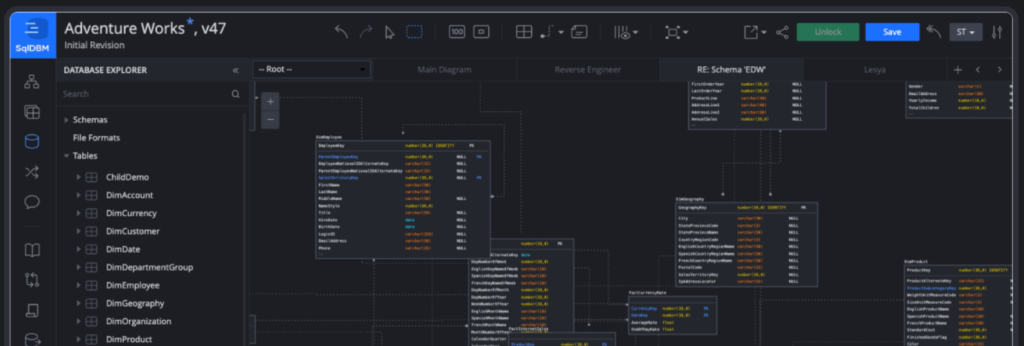
sqldbm

Reviews: 4.7/5 on G2 (16 reviews); used by more than 400,000 data practitioners.

Overview

SqlDBM is a browser-native modeling tool with strong support for Snowflake, Databricks, Microsoft Fabric, BigQuery, and Azure Synapse. Its AI Copilot accelerates schema generation, and adoption among data engineering teams reflects real utility for cloud warehouse work. No desktop install is required, and the forward-engineering workflow for cloud platforms is solid.

Key features:

  • Native support for Snowflake, Databricks, Microsoft Fabric, BigQuery, and Azure Synapse
  • AI Copilot that accelerates schema generation
  • Browser-based, with nothing to install and real-time team collaboration
  • Forward and reverse engineering for cloud platforms

Pros:

  • Fast to start, with no setup or infrastructure overhead
  • Purpose-built for modern cloud warehouse workflows
  • Strong, responsive support cited frequently in reviews

Cons:

  • Governance is thin for complex existing estates: enterprise glossary management and lineage fall outside its scope
  • Limited deep reverse engineering of on-premises platforms
  • Core feature improvements can lag behind newer additions, per reviewers

Pricing: Freemium tier available; paid plans by subscription.

Choose SqlDBM if:
  • Your team is cloud-native and building new warehouse schemas
  • You work primarily in Snowflake, Databricks, BigQuery, or Azure Synapse
  • You do not yet carry a formal governance or compliance program

Vertabelo: Best for Mid-Size Relational Teams

Vertabelo

Reviews: 90% user satisfaction (SelectHub, 11 reviews); now offered as Redgate Data Modeler.

Overview

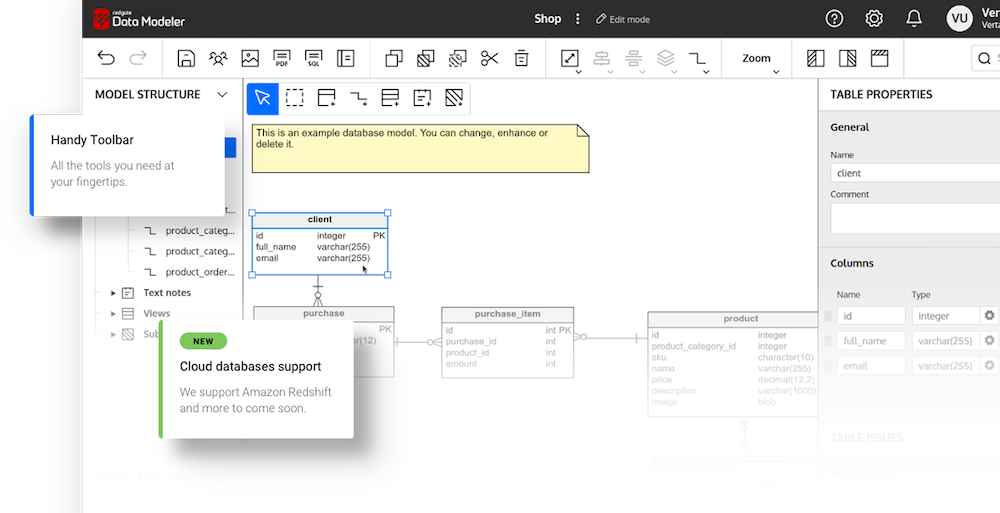
Vertabelo is a web-based database modeler with SQL generation, version history, and multi-user collaboration. It does more than a diagramming tool and less than an enterprise data modeling platform. Browser-based access, support for multiple relational platforms, and SQL generation make it a reasonable step up from drawing tools.

Key features:

  • Browser-based modeling for PostgreSQL, MySQL, SQL Server, Oracle, and other relational platforms
  • Automated SQL and migration script generation
  • Built-in version history and real-time team collaboration
  • Reverse engineering from an existing database with auto-layout

Pros:

  • Easy to learn, with a drag-and-drop interface, non-specialists can use
  • Solid real-time collaboration for distributed teams
  • No desktop software to install or maintain

Cons:

  • Reverse engineering at the enterprise level is limited
  • No business glossary, data lineage, or governance integration
  • Impact analysis across large models is unavailable

Pricing: Free plan available; paid plans from around $7 per user per month.

Choose Vertabelo if:

  • You are a mid-size team doing collaborative forward-engineering on relational databases
  • You want browser-based modeling without desktop software
  • Governance, lineage, and cross-platform reverse engineering are not yet requirements

MySQL Workbench: Best for MySQL and MariaDB Teams

MySQL Workbench

Reviews: 92% user satisfaction (SelectHub, 7 reviews); free and widely used across the MySQL community.

Overview

MySQL Workbench is free, desktop-based, and purpose-built for MySQL. It supports genuine reverse engineering from live MySQL databases, generates EER (Enhanced Entity-Relationship) diagrams, and handles forward engineering back to DDL. Within its platform scope, it is a credible technical tool.

Key features:

  • Reverse engineering from live MySQL and MariaDB databases
  • EER diagram generation and forward engineering back to DDL
  • Integrated SQL editor with syntax highlighting and auto-complete
  • Server administration, user management, and migration utilities

Pros:

  • Free, with an excellent return for individual developers and small teams
  • Mature, well-documented, and backed by a large community
  • Cross-platform: Windows, macOS, and Linux

Cons:

  • Bound to MySQL and MariaDB only
  • No enterprise collaboration, shared repository, or version management
  • No governance features, and performance can lag on very large datasets

Pricing: Free.

Choose MySQL Workbench if:
  • You work exclusively on MySQL or MariaDB
  • You are an individual developer or a small team
  • You do not need shared repositories or governance

pgModeler: Best for PostgreSQL Teams

pgModeler

Reviews: Open-source project, actively maintained and well regarded in the PostgreSQL community.

Overview

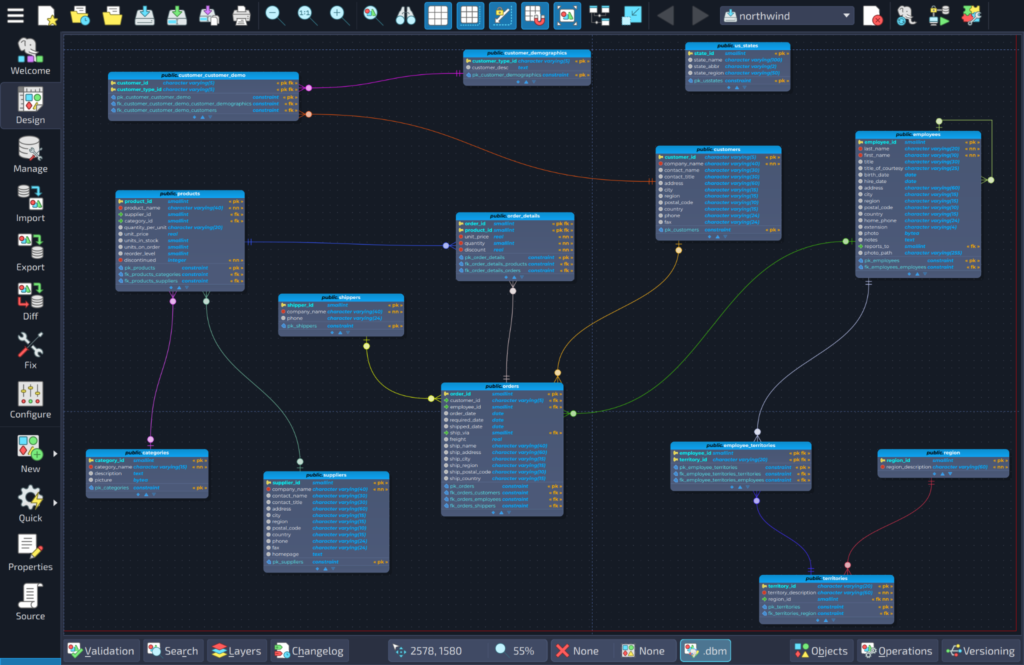
pgModeler is an open-source modeler built specifically for PostgreSQL. It supports forward and reverse engineering, generates Postgres-specific DDL, and reflects PostgreSQL features that generic tools abstract away.

Key features:

  • PostgreSQL-specific modeling with forward and reverse engineering
  • Generates Postgres-native DDL, including features that generic tools skip
  • Open source, so the code can be reviewed, extended, and self-hosted
  • Cross-platform: Windows, macOS, and Linux

Pros:

  • Deep PostgreSQL coverage that generic modelers cannot match
  • Free and open source, with full transparency into the codebase
  • Active community and ongoing development

Cons:

  • PostgreSQL only, so teams that expand beyond it need another tool
  • No shared model repository or governance integration
  • Interface is less polished than commercial tools, and binaries are paid

Pricing: The source is free and open; precompiled binaries and support are available for a fee.

Choose pgModeler if:

  • You work exclusively on PostgreSQL
  • You want a free, open-source tool with deep Postgres support
  • Governance and cross-platform coverage are not requirements

Lightweight Options: dbdiagram, DrawSQL, ChartDB, and diagrams.net

These tools serve real use cases. They are optimized for different work than enterprise modeling platforms.

  • dbdiagram is a code-first schema visualization tool. Define a schema in a simple DSL (domain-specific language) and share a visual diagram with the team. Well suited to communicating database design in early-stage product development.
  • DrawSQL offers visual schema design, SQL export, and a clean interface. Straightforward for forward-engineering new relational schemas at a small scale.
  • ChartDB is open-source with AI-assisted schema generation, lowering the barrier to creating a visual database diagram from an existing schema.
  • diagrams.net (formerly draw.io) is a general-purpose diagramming tool that includes database diagram templates. Data modeling is one of many use cases, which shapes what it natively supports.

These tools share fast setup, low or no cost, and workflows oriented toward creating new schemas rather than governing existing ones. They reach their limits in reverse-engineering production databases at scale, multi-platform enterprise environments, team governance with role-based access, regulated industry compliance documentation, and model versioning across large teams. They excel at schema visualization, which is genuinely useful work. It is simply different work from what ER/Studio is built to do.

How to Choose

Match the tool to the environment, not the feature list. As of 2026, the platform landscape spans legacy on-premises systems and cloud warehouses in the same estate, and three questions narrow the decision.

What is the platform scope? A single database and a single team can be served by MySQL Workbench, pgModeler, or a lightweight forward-engineering tool. As the platform count grows, the need for cross-platform reverse engineering, data type mapping, and multi-model management increases accordingly.

What are the governance obligations? Regulated industries require lineage documentation, business glossary management, and audit-ready version history. None of the lightweight options address these requirements. ER/Studio is built around them.

What does team collaboration require? If models need to be accessible to business analysts, data stewards, governance teams, and architects, a shared, web-accessible repository with role-based access becomes a requirement rather than a convenience. Team Server provides that layer within the ER/Studio platform.

Choose ER/Studio if:

  • Your environment spans multiple database platforms
  • You carry compliance obligations in financial services, healthcare, insurance, or energy
  • Models need to stay synchronized with production through iterative schema changes
  • Business analysts and data stewards need governed access to models

Choose a focused or lightweight tool if:

  • You work on a single database platform with a single team
  • Governance, lineage, and audit history are not requirements
  • The primary need is forward-engineering new schemas or visualizing the design

Start with Your Existing Environment

If your environment spans multiple platforms, carries compliance obligations, or requires data models to stay synchronized with production, ER/Studio is built for that work. The free trial of ER/Studio Data Architect connects to a live database, reverse-engineers the schema, and shows the logical and physical model separation working in your own environment. Your database, your schema, your starting point. 

Start your free trial of Data Architect and reverse-engineer your own database.

FAQ

Is Lucidchart good enough for database modeling?

Lucidchart works for diagramming database designs and communicating structure visually. It lacks live reverse engineering, DDL generation, and logical-physical model separation, so teams doing serious database work eventually need a purpose-built tool.

What is the best free Lucidchart alternative for data modeling?

For single-platform work, MySQL Workbench (MySQL/MariaDB) and pgModeler (PostgreSQL) are free and offer genuine reverse engineering. For multi-platform enterprise work, free tools quickly hit governance and versioning limits.

Can I migrate models from Lucidchart to ER/Studio?

ER/Studio reverse-engineers directly from live databases rather than importing diagram files, so the cleanest path is connecting ER/Studio to your database and generating an accurate model from the schema itself. The free trial supports this workflow against your own environment.

When does a lightweight modeling tool stop being enough?

The limit usually arrives when platform count grows beyond one, when compliance requires lineage and audit history, or when business stakeholders need governed access to models. At that point, ER/Studio covers the full lifecycle.

Ryan Hirsch

Ryan Hirsch is the Product Marketing Manager for ER/Studio with experience in the data and digital industries. He holds a Master's degree in Integrated Marketing & Project Management.
Copyright © 2026 Idera, Inc.

Before You Go…

Want the latest ER/Studio content without checking back? We’ll send you a monthly roundup of new blogs and insights.

